 blog
blog
Local vs Cloud Audio Processing 2026: Which Is Better?
Table of Contents
- Local vs Cloud Audio Processing in 2026: The Quick Comparison
- How On-Device AI Voice Processing Actually Works in Your Browser
- Audio Processing Latency Comparison: Upload Queues vs Instant Execution
- AI Audio Privacy Standards: Data Sovereignty, HIPAA-Ready, and GDPR Compliance
- Hardware Requirements for Local Inference and GPU Acceleration
- Cost Analysis: Subscription vs. Hardware and Compute Costs
- Hybrid Processing Models: The Best of Both Worlds
- Frequently Asked Questions
Last Updated: September 14, 2026
Local vs Cloud Audio Processing in 2026: The Quick Comparison
The local vs cloud audio processing 2026 debate has a clear answer for most spoken-word creators: local wins on privacy, speed, and cost for everyday editing, while cloud tools still make sense for heavy batch rendering and team collaboration. The core difference is where your audio gets processed.
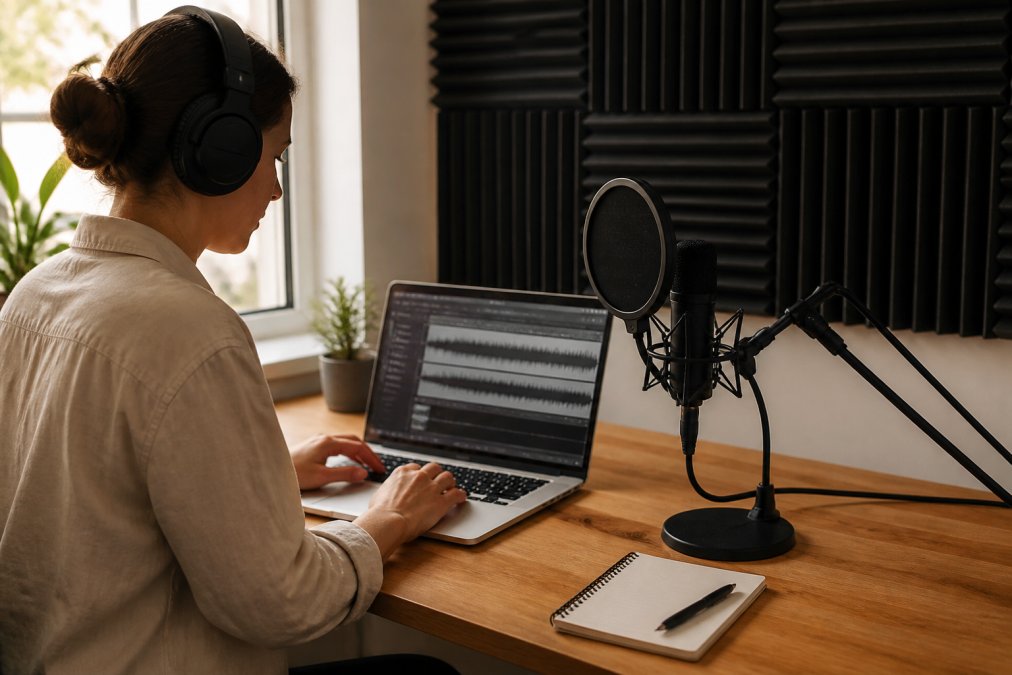
Here's the short version before the details:
| Factor | Local Processing | Cloud Processing |
|---|---|---|
| Latency | Near-instant | Upload + queue + download |
| Privacy | Files never leave device | Files stored on remote servers |
| Cost model | One-time hardware or free tier | Ongoing subscription |
| Best for | Solo creators, sensitive audio | Large teams, batch jobs |
| Offline use | Fully functional | Requires connection |
How On-Device AI Voice Processing Actually Works in Your Browser
On-device AI voice processing runs machine learning models directly inside your browser using WebAssembly and the Web Audio API, so your audio never touches a remote server (Web Audio API - Web APIs). This is the biggest shift in the local vs cloud audio processing 2026 landscape.
Running serious audio models locally once meant downloading a desktop app and hoping for a capable GPU. That barrier is gone: modern browsers execute compiled code at near-native speed.
Finalizer uses exactly this architecture. Its client-side WebAssembly engine performs signal analysis, precision EQ, peak limiting, de-essing, de-rooming, and de-noising entirely on your device's CPU. No upload step, no server queue, no waiting for a file to come back.
Open-weight models made this practical: developers can ship a quantized model straight to the browser instead of licensing a closed model on someone else's infrastructure. Smaller models run faster but can miss subtle artifacts, though for speech cleanup the gap has narrowed.
Audio Processing Latency Comparison: Upload Queues vs Instant Execution
Latency is where local processing pulls ahead decisively. A cloud tool adds upload, queue, processing, and download time; a local tool adds only processing time.
Consider a 40-minute podcast episode. On a typical home connection, the upload alone can take several minutes, then add the peak-hour server queue, the render, and the download.
Local execution skips three of those four steps: the file is already on your machine, so there is no transfer overhead. For real-time transcription and instant preview, you hear the result the moment processing finishes.
The catch: local speed depends on your hardware. A GPU-accelerated machine chews through a long file far faster than CPU alone, while cloud servers are consistently powerful but shared.
| Stage | Local | Cloud |
|---|---|---|
| Upload | None | Minutes |
| Queue wait | None | Variable |
| Processing | Hardware-dependent | Server-grade |
| Download | None | Minutes |
For short-form clips, the difference is negligible either way. For anything over 20 minutes, local wins on wall-clock time in most home setups.
AI Audio Privacy Standards: Data Sovereignty, HIPAA-Ready, and GDPR Compliance
Data sovereignty is the strongest argument for local processing. When audio never leaves your device, the compliance surface shrinks dramatically.
Journalists with confidential sources, documentary filmmakers holding unreleased interviews, corporate teams handling internal communications, once that audio hits a remote server, you are trusting a vendor's security posture, retention policy, and breach response.
Regulatory frameworks raise the stakes. Under GDPR's data protection rules, audio recordings containing identifiable voices count as personal data, which triggers strict handling requirements. In healthcare and training contexts, teams often need HIPAA-ready handling for any recording that could contain protected health information. Cloud tools can meet these standards, but every upload becomes a compliance event you have to document.
Local processing sidesteps most of it: if the file never transfers, there is no third-party processor, no retention window to audit, and no breach notification.
This is where the local vs cloud audio processing 2026 conversation gets practical for professionals. Privacy is not abstract when your source's safety depends on it.
Hardware Requirements for Local Inference and GPU Acceleration
Running audio models locally is far less demanding than image or video models, but hardware still shapes your experience. Four numbers decide whether your workflow is smooth: model size, quantization level, available memory, and GPU acceleration.
Here is what matters, with the ranges most practitioners see in 2026:
- CPU: A modern multi-core processor (roughly 8 cores and up) handles de-noising, EQ, and de-essing on a single speech file in real time or faster. Older dual-core machines can fall behind real-time on long files.
- RAM: Speech models are small compared to vision models. A typical laptop with 16 GB has more than enough headroom; 8 GB is workable if you are not running a DAW and dozens of browser tabs at once.
- GPU acceleration: Helpful for batch jobs but not required for single-file processing. Browser-based GPU access through WebGPU is improving but still inconsistent across devices and drivers, so treat it as a bonus.
- Storage: Local processing means your files stay on your local drive, so keep enough free space for working copies plus intermediate renders.
Model Quantization: The Quiet Enabler
Quantization is why browser-based audio processing became viable. It shrinks a model's memory footprint by reducing the precision of its internal numbers, typically from 32-bit floating point to 16-bit, 8-bit, or 4-bit integers. A model needing several gigabytes at full precision fits into a few hundred megabytes at 8-bit: the difference between "needs a dedicated GPU" and "runs in a browser tab."
The tradeoff is real and worth understanding:
- 16-bit (FP16): Near-identical output to full precision. Best quality, largest footprint.
- 8-bit (INT8): The common sweet spot for speech cleanup. Most listeners cannot pick it out in a blind test, and the footprint drops by roughly 4x versus FP32.
- 4-bit (INT4): Aggressive. Fine for transcription and voice activity detection, but artifacts can creep into music, sibilance, and reverb tails where the model has less margin for error.
For spoken-word cleanup, de-noising, de-rooming, de-essing, 8-bit quantization is usually indistinguishable from full precision. For music mastering or restoration chasing the last few percent of fidelity, test before committing a client deliverable to a 4-bit pipeline.
Energy Consumption: The Metric Most Comparisons Ignore
Cloud data centers are efficient at scale, but they draw power for every job, and your upload and download add network energy on top. Local processing concentrates the cost on your device, which for a short clip is often lower overall.
For massive batch operations the math can flip: a data center running thousands of jobs on shared, highly utilized hardware can be more energy-efficient per job than thousands of laptops each running one file. It depends on utilization.
Cost Analysis: Subscription vs. Hardware and Compute Costs
Local and cloud cost structures pull in opposite directions, and which wins depends on your volume.
Cloud tools typically charge a recurring subscription: you pay monthly whether you process one file or a hundred. The predictability is nice, but the meter never stops, and over a year or two the total adds up fast.
Local processing flips the model: no per-file fee, because the compute is yours. Your cost is hardware you already own plus, sometimes, a one-time or tiered software fee. Finalizer offers a free tier with no account registration required, and optional paid tiers unlock expanded toolsets. Pricing depends on the plan, so check the site for current details.
The break-even point is volume-dependent:
- Occasional users sending a handful of files a week usually come out ahead on a free or low-cost tier.
- Heavy daily users often save more with local processing, since there is no per-render charge.
- Teams need to weigh per-seat subscriptions against shared hardware.
Compute cost is the hidden variable: cloud vendors price in server time, which is why heavy usage tiers get expensive, while local tools push that cost onto a machine you already paid for.
Solo podcasters and short-form creators who process a few files a week and want zero recurring cost.
Hybrid Processing Models: The Best of Both Worlds
The smartest 2026 workflow is not purely local or cloud, it is hybrid, and most serious creators are already drifting toward it.
What a Hybrid Pipeline Actually Looks Like
A hybrid audio pipeline has three stages:
- Ingest and triage (local). The file lands on your machine. A lightweight local model, often a 4-bit or 8-bit quantized speech detector, scans it for voice activity, language, and sensitivity markers. This stage is cheap, fast, and never uploads anything.
- Primary processing (local by default). De-noising, de-rooming, EQ, de-essing, and silence trimming run on-device. For a typical spoken-word file, this is where 80-90% of the work happens, and it never leaves your machine.
- Heavy lifting (cloud, opt-in). Only jobs that genuinely need more compute, stem separation, large-batch transcription, multi-language dubbing, or rendering dozens of files overnight, get routed to a cloud queue. The handoff is explicit, logged, and reversible.
The key architectural decision is the handoff trigger. In a well-built hybrid workflow, nothing goes to the cloud unless a specific condition is met: the file is already public, the user has explicitly approved the upload, or the job exceeds a local compute threshold you set yourself.
A Practical Routing Decision Tree
| Your Situation | Route It To | Why |
|---|---|---|
| Sensitive or confidential audio | Local only | No third-party processor, no retention window |
| Quick single-file cleanup | Local | Faster than upload + queue + download |
| Offline or poor connection | Local | Cloud is unavailable by definition |
| Large batch of non-sensitive files | Cloud | Parallelism beats a single laptop |
| Multi-editor collaboration | Cloud | Shared state and versioning need a server |
| Archival and backup | Cloud | Redundancy is the point |
| Stem separation or heavy restoration | Cloud | Compute exceeds typical local hardware |
The Segment-Level Hybrid Nobody Talks About
The most useful hybrid pattern is not file-level but segment-level. A single interview might contain 38 minutes of ordinary conversation and 2 minutes of a confidential source on the record; uploading the whole file for cloud transcription uploads the sensitive 2 minutes too.
A segment-level hybrid workflow solves this: process and transcribe the full file locally, then export only the non-sensitive segments for any cloud step. The sensitive portions never enter the upload path. Journalists, legal teams, and healthcare trainers should be using this pattern, yet it is almost absent from the local vs cloud audio processing 2026 conversation.
Where the Handoff Gets Messy
Hybrid is not free. Three friction points show up repeatedly:
- Format and loudness drift. Local and cloud tools apply different normalization targets. A file processed in two environments can come back with mismatched loudness between segments. Standardize on a target like -16 LUFS for stereo podcast delivery and check the seams.
- Metadata loss. Cloud round-trips can strip embedded metadata, markers, and non-destructive edit history. Keep a local master and treat the cloud output as a derivative.
- Version confusion. Once a file has been through both environments, "which version is final" becomes a real question. Adopt a naming convention that encodes where each stage ran.
Finalizer sits firmly on the local side of that split, making it a natural first stop for anything private or time-sensitive. Drag a file in, process it in the browser, and the audio never leaves your machine, then decide, segment by segment, whether anything needs to go anywhere else.
Build a simple rule into your workflow: if the audio contains a real person's unreleased voice, process it locally first. Only move to cloud tools once the sensitive content is cleared, the file is already public, or you have exported just the non-sensitive segments.
A "hybrid" tool that uploads by default and offers a local mode as an afterthought is not hybrid, it is cloud with a privacy toggle. Check the default behavior before you trust it with anything sensitive.
Frequently Asked Questions
What does it mean to run AI locally?
Running AI locally means the model executes on your own device's CPU or GPU instead of remote servers. In audio processing, this happens inside your browser using WebAssembly and the Web Audio API. Your files never leave your machine, so there is no upload wait, no server queue, and no third party handling sensitive recordings. Tools like Finalizer use this approach to deliver instant processing with complete data privacy.
How does local audio processing impact data privacy and security?
Local processing keeps every file on your device. Interviews, unreleased audiobooks, and raw video takes never travel to remote servers, which removes the risk of interception, unauthorized access, or vendor data retention. For journalists handling sensitive sources or teams working under HIPAA-ready and GDPR compliance requirements, this on-device approach simplifies the security review because there is no data transfer to audit.
Is cloud-based audio processing faster than local hardware in 2026?
It depends on file size and connection speed. Cloud tools add upload and download time plus server queue delays, which can stretch a 30-minute podcast to several minutes of waiting. Local processing skips those steps entirely. For short clips, the difference is seconds. For long recordings, local execution often finishes before a cloud upload would complete, especially on a slow connection.
What are the hardware requirements for local AI audio production?
Browser-based local processing needs far less than dedicated studio hardware. A modern laptop or desktop with a recent multi-core CPU and at least 8GB of RAM handles most spoken-word tasks. GPU acceleration helps with larger models, but many tools run efficiently on CPU alone. For podcasters and video creators, a standard 2024-or-newer machine is usually sufficient for de-noising, de-essing, and level balancing.